Intake without retyping
Capture applications, import CVs from email or bulk files, parse structured fields and keep the original document attached.
Bridge95 is maritime recruitment software for crewing agencies, cruise recruitment teams and maritime recruiters. Manage candidate intake, CVs, jobs, pipelines, interviews, documents and recruitment automation in one connected workspace.
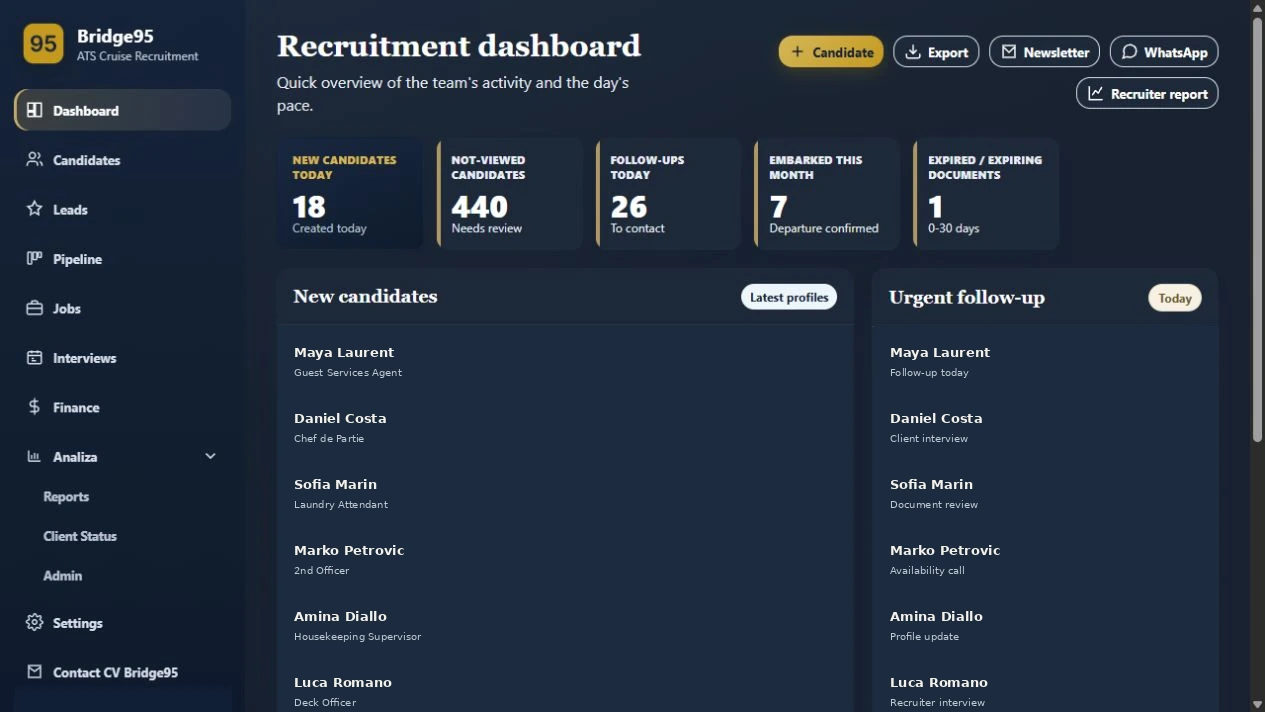
Bridge95 brings maritime applicant tracking, cruise recruitment workflows, crewing candidate management and recruiter automation into one practical operating layer.
Role fit, readiness, documents, availability, interviews, client requests and commercial follow-through all live in the same decision chain. Bridge95 keeps that chain connected.
Capture applications, import CVs from email or bulk files, parse structured fields and keep the original document attached.
Find candidates by role, country, availability, documents, experience, comments and CV content — with AI-assisted search when useful.
Keep recruiter ownership, follow-ups, interview status, reminders and the next action visible to the whole desk.
See passport, medical, STCW, C1/D visa, seaman book and other document context next to the candidate record.
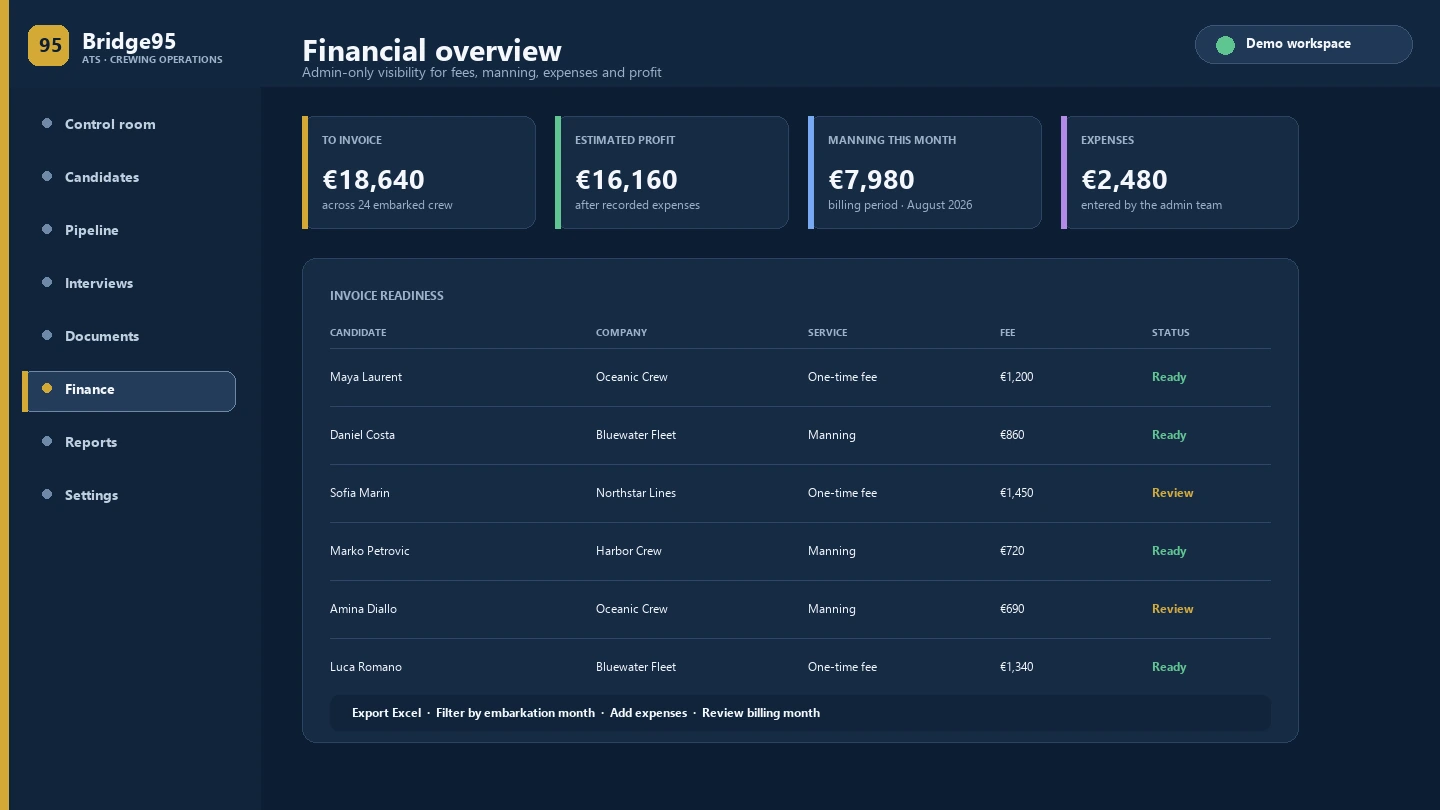
Connect embarked crew to one-time fees, monthly manning, expenses, invoice readiness and estimated profit.
Comments, history, files, status changes and recruiter activity stay together when the desk changes hands.
Start with the signals that need action: new candidates, profiles not yet reviewed, follow-ups due, upcoming embarkations and documents approaching expiry.
Each capability is useful on its own. Together they form a practical operating system for cruise, maritime and manning recruitment.
Stages, ownership, status changes, comments and the next action.
02Searchable crew records with role, country, contact, status and availability.
03CV parsing, email intake, bulk CV import, Excel import and review before saving.
04Search across candidate fields, comments and CV content, with a local fallback when needed.
05Master jobs, requirements, recommended candidates and shared stages from applied to accepted.
06Availability windows, slot duration, public links, Google Meet / Zoom and confirmations.
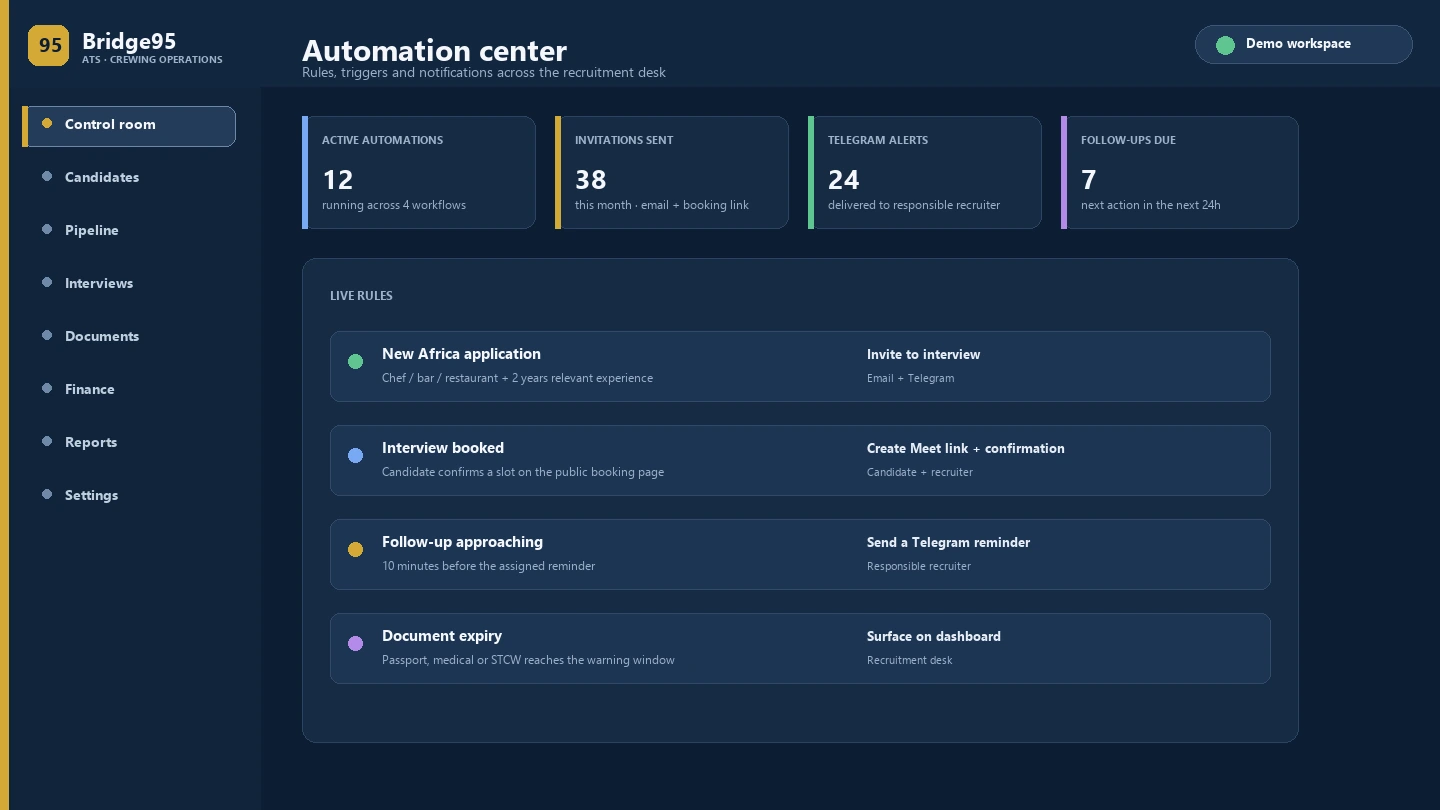
07Interview invitations, candidate emails, Telegram reminders, push alerts and rule-based workflows.
08CV, passport, medical, STCW, C1/D visa, seaman book and expiry context on profile.
09Available positions, requirements, ship or fleet context and candidate associations.
10One-time fees, manning months, expenses, invoice readiness and estimated profit.
11Recruiter reports, CSV and Excel exports, filters and admin-only financial visibility.
12Recruiter ownership, admin controls, HTTPS, backups and a workflow designed for sensitive data.
Bridge95 helps the desk move from “someone should follow up” to a visible, repeatable workflow — without sending everything into a black box.
For configured workflows, eligible candidates can receive an interview invitation email with the recruiter’s booking link, while the responsible recruiter receives an internal Telegram alert.
Availability, interview duration and meeting details flow into the booking and confirmation process, with the position included for clarity.
Assigned recruiters can receive a reminder before the deadline, keeping the next conversation visible without another spreadsheet.
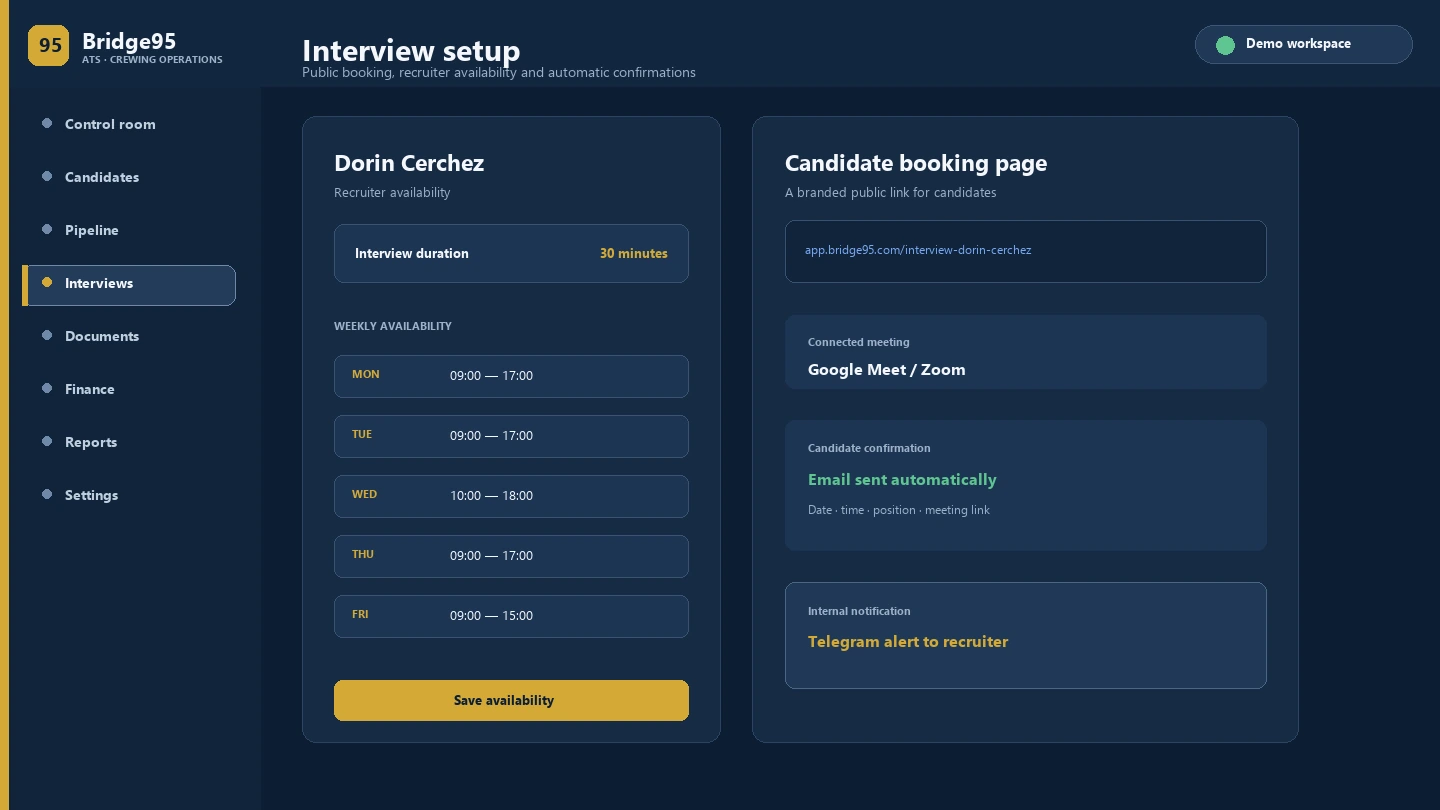
Each recruiter can configure working days, availability windows, booking horizon and standard interview duration. Candidates receive a branded public link instead of an email back-and-forth.
The recruiter creates the interview and question set in Bridge95. The candidate receives a secure, time-limited link, records each answer from the public page and submits the interview. The answer files and completion status return to the ATS for review alongside the candidate context.
Select the candidate, position and questions in the ATS. Keep the invitation, deadline and interview status connected to the same record.
The candidate opens a protected link, reviews each question and records the requested answer without needing an ATS account.
When the candidate submits, the ATS keeps the completion state and answer media available for the recruiter’s review and next decision.
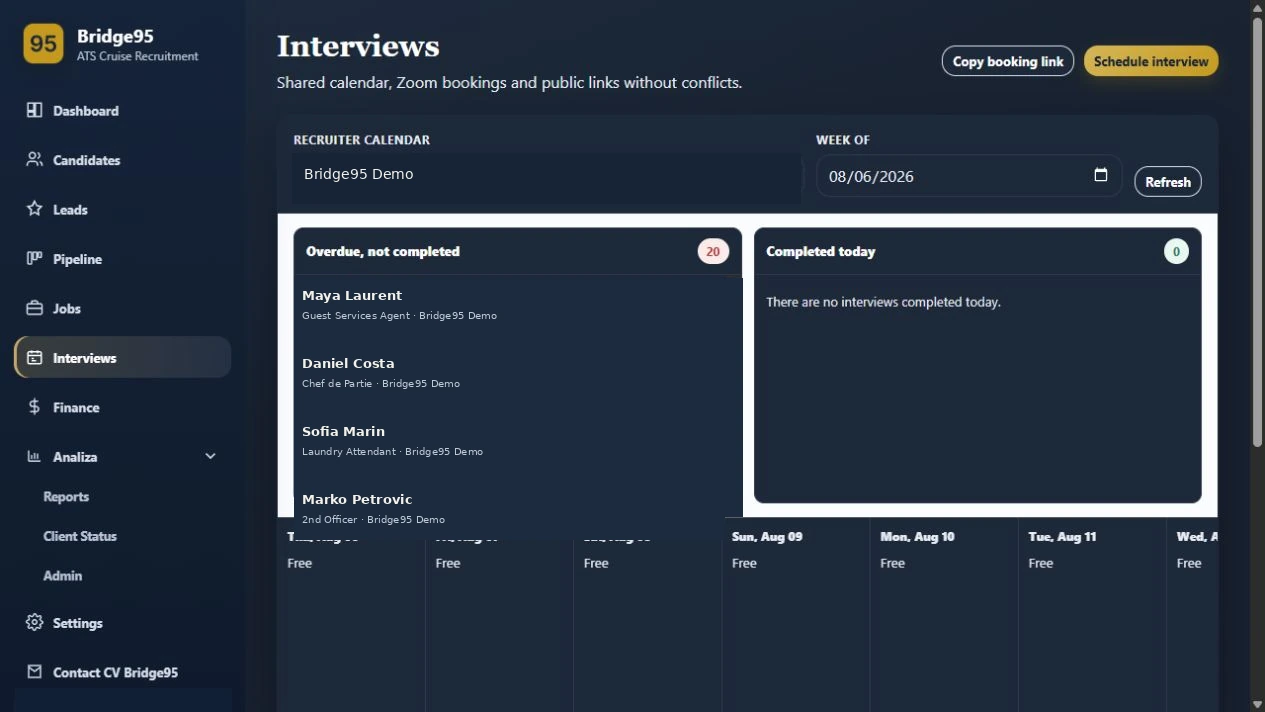
The screenshot shows the scheduling layer. Video-answer availability depends on the configured interview workflow and access rules.
Explore interview workflowsFrom the candidate workflow, the recruiter sends a personalized document request with the required checklist. The candidate opens the protected link, uploads the requested files and submits them. The documents return to the candidate’s ATS record, where the team can review the files and validity dates.
Build the request around the client or role checklist: passport, medical, STCW, visa, seaman book or another configured document.
The candidate gets a focused upload page for the request, with the instructions and document types the recruiter selected.
Uploaded files are attached to the candidate record in the ATS, ready for review, validity tracking and the next client decision.
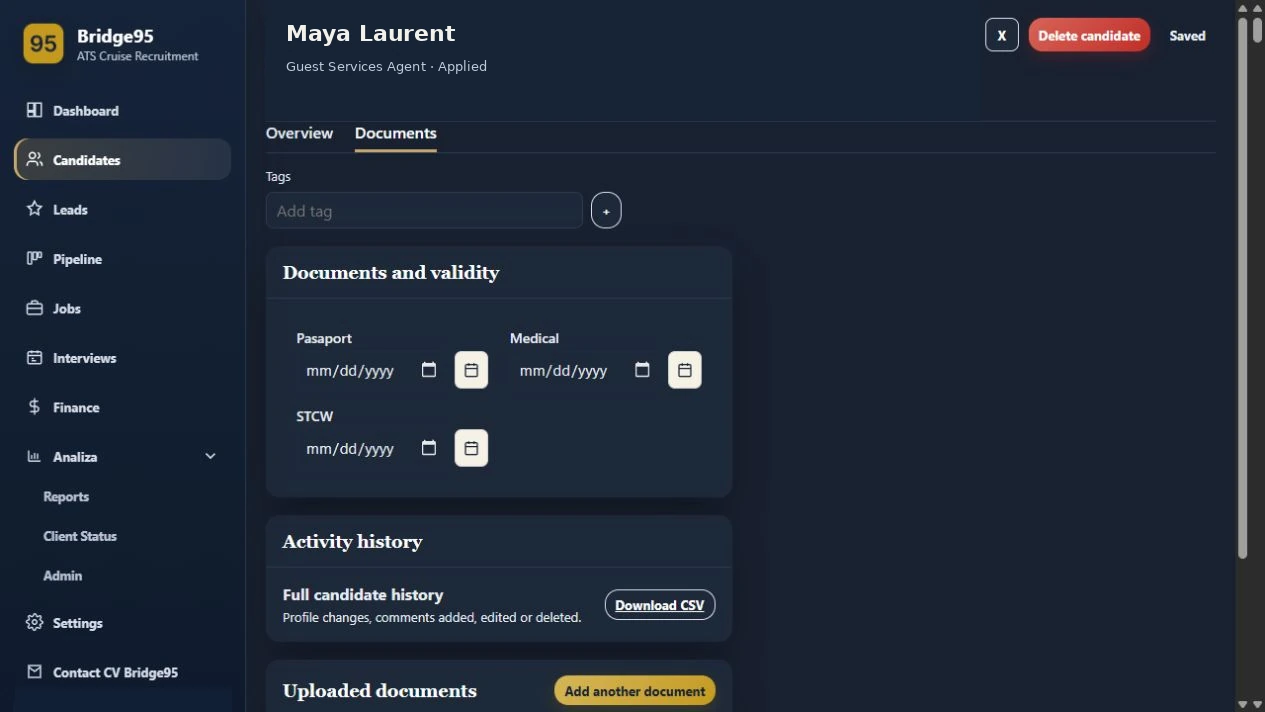
The screenshot shows the ATS Documents tab. Links, expiry rules and required document types are configured for the deployment.
Explore document workflowsThe finance area is designed for admin review: connect embarked candidates to fee rules, billing periods and recorded expenses so the desk can see what is ready to invoice and what needs attention.
A shared process every recruiter on the desk can follow.
Receive an application, import a CV, parse a file or bring in a spreadsheet.
Check structured data, original CV, contact channels, position and recruiter ownership.
Use master jobs, requirements, filters and recommendations to build a shortlist.
Send a booking link, configure availability or schedule a meeting directly.
Track documents, expiry context, availability, comments and next actions.
Record client proposals, embarkation, manning and the commercial follow-through.
All images below use fictional demonstration data. Names, contacts, companies and financial amounts are illustrative.
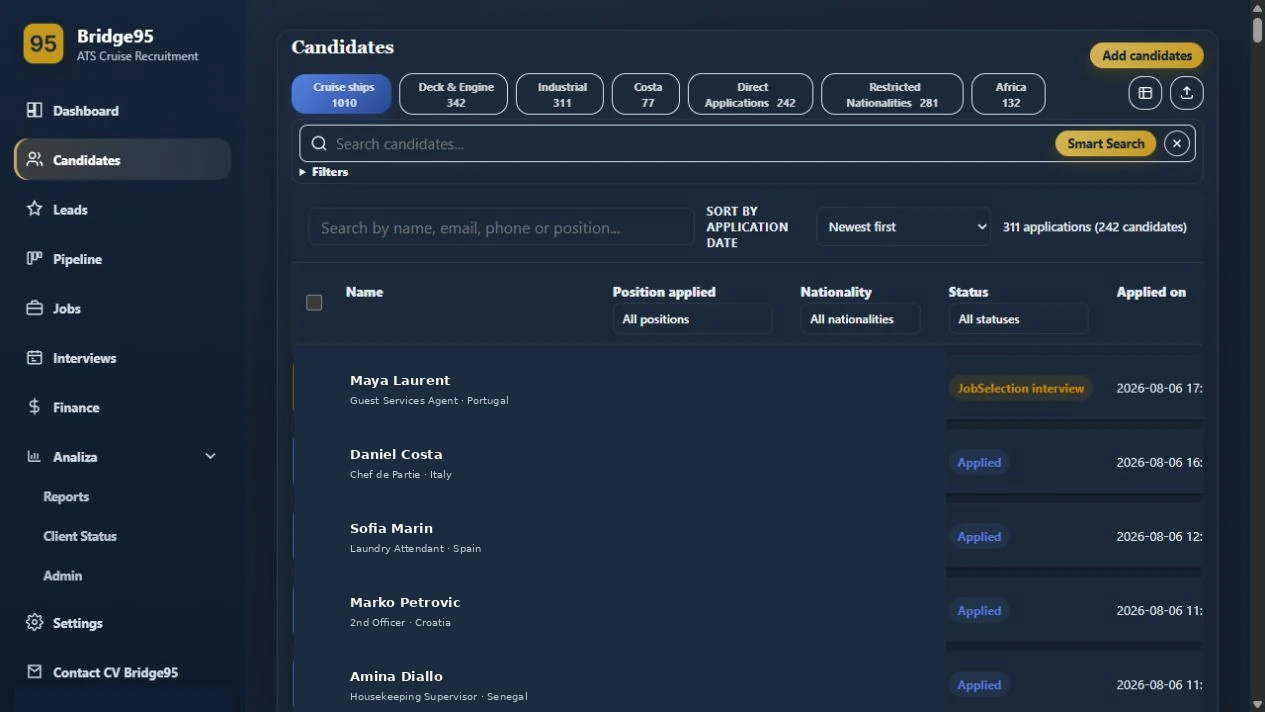
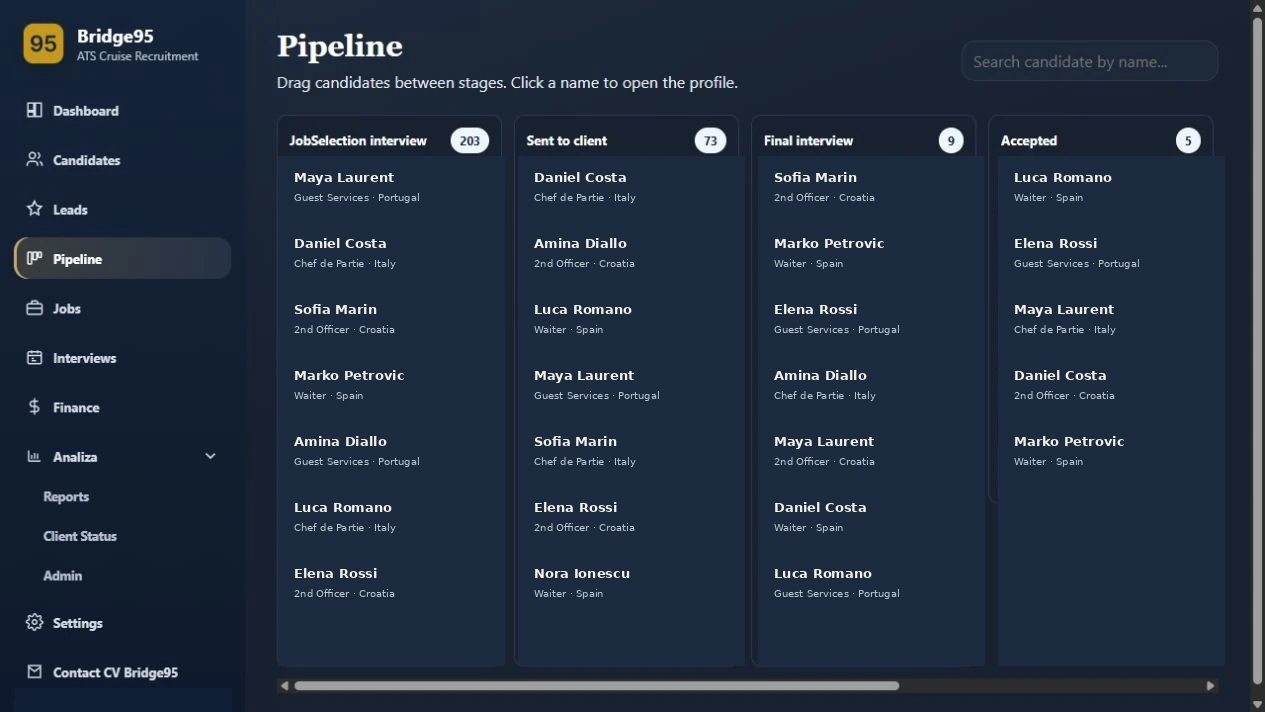
Bridge95 is shaped for cruise lines, manning agencies, crewing teams and specialist maritime recruiters.
Candidate intake, CVs, email and Excel import, the candidate database, jobs, pipeline, AI-assisted search, interviews, follow-ups, documents, finance, reports and admin controls.
Yes. Configured public application rules can send eligible candidates an invitation email with a booking link and notify the responsible recruiter on Telegram. The automation is designed to be transparent and auditable.
Yes. Recruiters can set availability, booking window and standard slot duration. Candidates choose a free time through a branded public page and receive the booking details by email.
Yes. The recruiter can create a structured video interview, send a protected candidate link and review submitted answer media and completion status from the candidate workflow.
Yes. A recruiter can send a personalized document request. Files submitted through the protected link are returned to the candidate’s Documents area in the ATS for review and validity tracking.
It centralizes the candidate record and supports practical email and WhatsApp actions from the profile. It does not try to replace the channels your team already uses.
Yes. The admin-only area covers one-time fees, monthly manning, expenses, invoice readiness, billing periods, estimated profit and Excel export.
No. The screenshots use fictional demo names, contacts, companies and amounts. They illustrate the product workflow without exposing candidate data.
Walk through the candidate, pipeline, interview, document and placement operations your team manages every day.