Configurable stages
Structure the process around the recruitment stages your team uses.
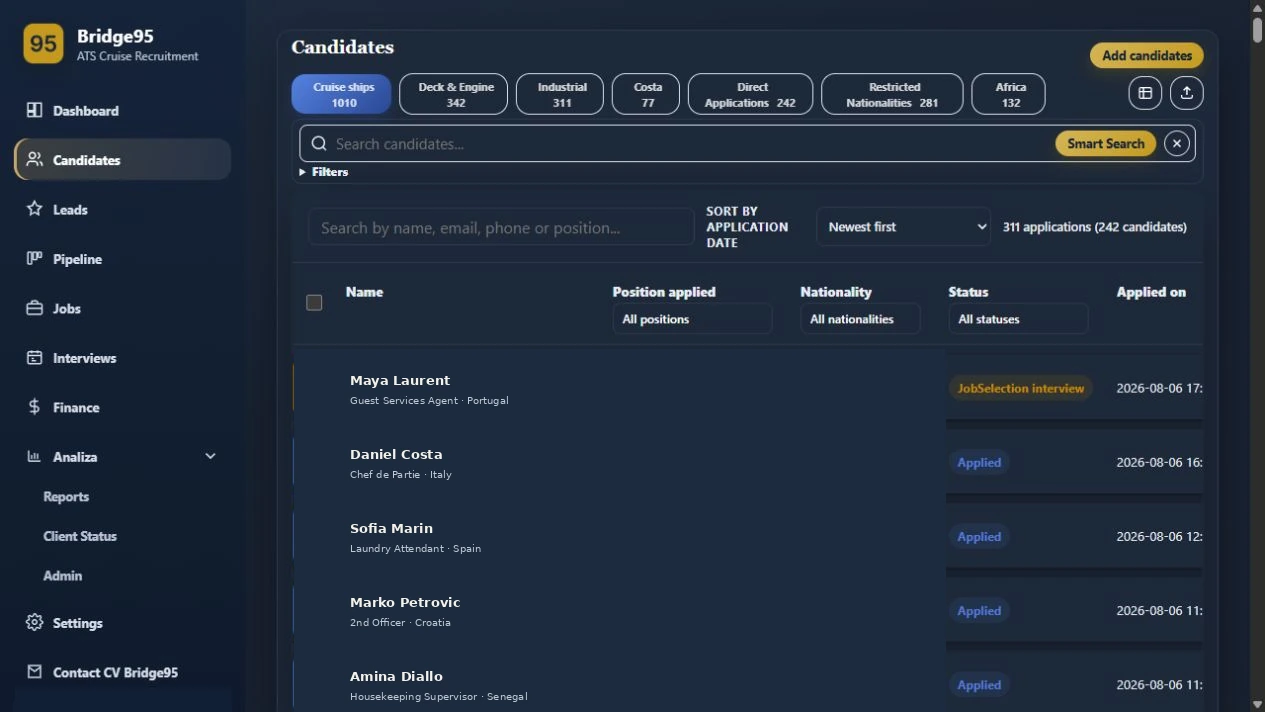
Track candidates through configurable recruitment stages while keeping role, country, recruiter activity and next actions visible.
Structure the process around the recruitment stages your team uses.
Update candidate stage and position directly from the working list.
Keep follow-up owner, comments and activity connected to the profile.
Separate cruise, deck & engine and industrial candidate views.
Bridge95 keeps operational context close to the candidate record, so recruiters can move from information to action without rebuilding the same picture across separate files.
No. It is designed for cruise and maritime workflows and can also support manning, crewing and specialist maritime recruitment teams.
Bridge95 centralizes candidate records, status, documents, follow-ups and recruitment activity. Teams can still export data where a spreadsheet is useful.
Yes. Bridge95 supports individual recruiter accounts, role-aware access and activity linked to the user working on a record.
Yes. Request a walkthrough and describe the recruitment process your team wants to improve.
Use the candidate record to keep status, comments, recruiter ownership and the next action together. Review the relevant job context before treating a stage as a completed decision.
A stage does not establish document validity or client approval by itself. Agree entry and exit criteria with the team.
Walk through the candidate, pipeline, document and placement operations your recruiters manage every day — with your own team's workflow in mind.