
A document-readiness workflow with an illustrative client
Follow a fictional recruitment scenario to see how client requirements, candidate documents and a readiness review fit together.
About this example
Demonstration only. “Harbor Client A” is a fictional client. This is not a customer case study, endorsement or claim of measured performance. The example illustrates document-workflow capabilities and the review steps to validate in your configuration.
The starting problem
A recruiter has a candidate for a vacancy, but the client’s document checklist is in one place, the source files in another and the follow-up in a private message. The team needs a shared view of the missing items before handover.
The workflow to demonstrate
- Agree the required document types for Harbor Client A.
- Associate the candidate with the relevant client and recruitment work.
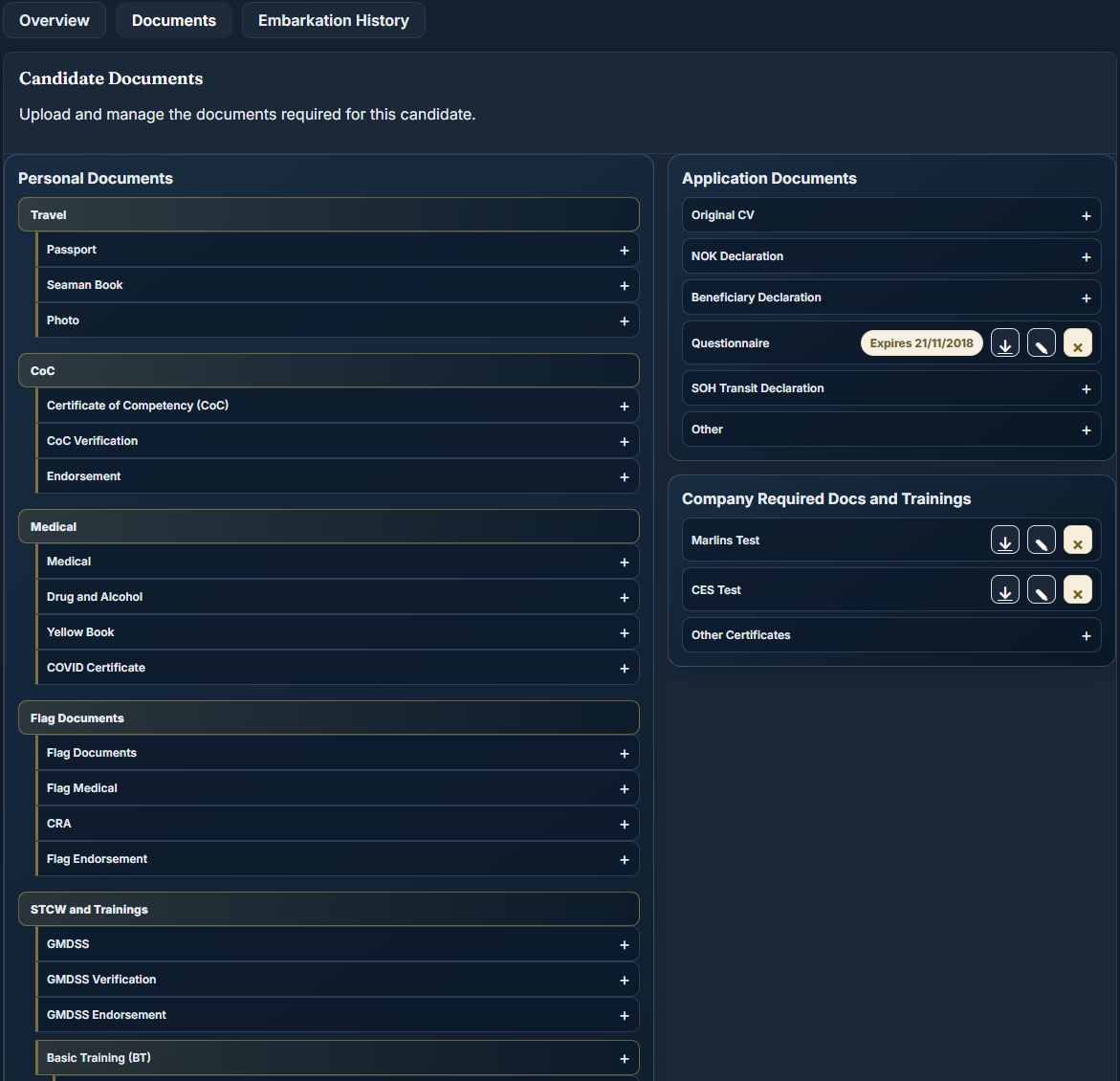
- Review the required files, original documents and recorded validity dates.
- Assign the unresolved item to a recruiter with a next action.
- Review the embarkation pack separately from historical service documents.
Inspect the document catalogue
How to evaluate the outcome
During a pilot, measure missing items at handover, time spent locating a source file and records without a next owner. Establish a baseline and a review period before claiming an improvement. No performance result is asserted for this illustrative workflow.
Continue exploring
See your workflow in Bridge95
Bring a role, a sample import and your document checklist. We can review the setup your team needs.